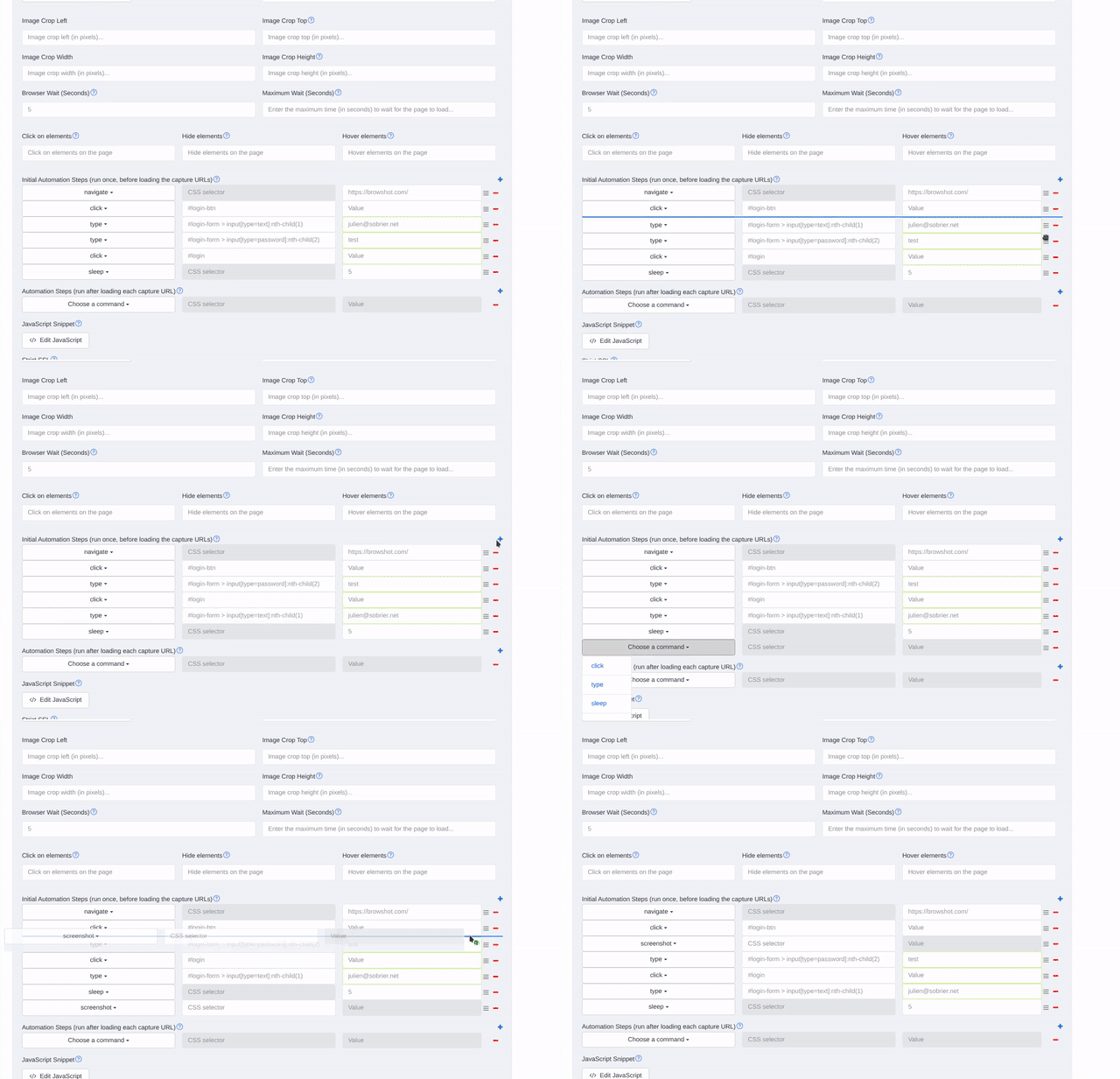
We just added drag-and-drop support for Automation Steps and Initial Automation Steps.
You can now reorder your steps directly in the editor, without deleting and recreating them.
Why this matters
Automation workflows often evolve. You might need to:
- move a
sleepstep before aclick. - run a
navigatestep earlier in the sequence - place a
screenshotstep after a specific interaction - reorganize loop blocks (
for/end)
With drag-and-drop, making these changes is much faster and less likely to cause mistakes.
Reminder: what automation steps can do
Automation Steps let Blitapp work with pages before and during captures. You can:
clickpage elementstypetext into inputsnavigateto other URLssleepto wait for content to load- run
javascript - take extra
screenshotcaptures - build loops with
forandend
Initial Automation Steps run once before any URLs are captured. Regular Automation Steps run for each capture URL.
Learn the full workflow
If you’d like to see practical examples, check out these posts:
- New features - automation steps
- Login to a website to take screenshots
- Take screenshots of multiple pages behind a login
- Capture all elements of a carousel
If you ever need help building a complex flow, just reach out to us at support@blitapp.com.